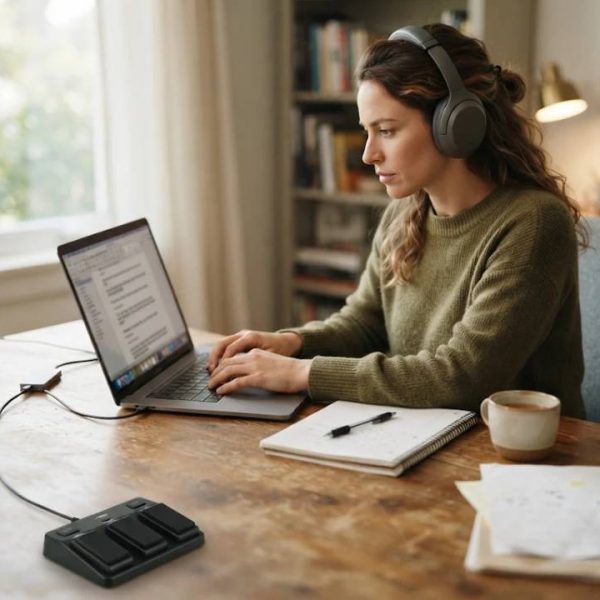
Spoken words disappear the moment they are said, unless someone writes them down. Transcription turns interviews, meetings, lectures and calls into searchable text that can be quoted, translated, analyzed and archived. Good transcripts save hours of listening and protect you from misremembering what was actually said.
What Transcription Is
Transcription converts audio or video into written text. It can be done by people, by software or by a mix of both.
The value of a transcript depends on accuracy, and accuracy depends on audio quality and the skill of the transcriber.
Verbatim and Clean Verbatim
Verbatim transcripts include every word, filler and false start. Clean verbatim removes fillers and repetitions while keeping the meaning.
Choose the style that fits your purpose, such as research or publication.
Common Uses
Journalists transcribe interviews, researchers analyze focus groups, lawyers prepare depositions and companies document meetings. Podcasts and videos use transcripts for subtitles and search visibility.
Each use has its own accuracy needs.
Interviews and Research
Qualitative studies rely on precise transcripts to code themes and quotes. Speaker labels and time stamps help analysis.
Ask participants for consent to record and store data safely.
Business Meetings
Minutes and action items are easier when a transcript is available. Teams can search past discussions and share summaries.
Decide who owns the record and how long it is kept.
Legal and Medical Transcription
Courts, insurers and clinics need exact records with specialized terms. Errors can have serious consequences.
Use trained professionals who understand confidentiality rules.
Audio Quality Comes First
Use a good microphone, reduce background noise and ask people to speak one at a time. Record in quiet rooms.
Better audio reduces cost and improves accuracy for both humans and software.
File Formats
Common formats include MP3, WAV and MP4. Lossless formats keep more detail but create large files.
Our guide to mp3 and wav transcription explains which formats work best and how to prepare files.
Human and Automatic Transcription
Software is fast and cheap but struggles with accents, overlapping speech and technical terms. Human transcribers handle difficult audio more reliably.
Many providers combine both, with professionals editing the draft.
Accents and Dialects
Regional speech and non-native accents can confuse software. Transcribers familiar with the dialect catch details others miss.
Tell your provider where speakers come from.
Multilingual Recordings
Interviews often switch between languages. Transcribers must note the changes and sometimes provide translation.
Specialists in dutch transcription and translation can produce parallel text for Dutch and English recordings.
Time Stamps and Speaker Labels
Time codes let readers jump to the right place in the recording. Speaker names make dialogue easy to follow.
Agree on the format before the project starts.
Accessibility and Subtitles
Transcripts help deaf and hard of hearing audiences, and subtitles improve viewing in noisy places. The W3C guidance on transcripts explains how to publish accessible transcripts for audio and video.
Accessibility also improves search visibility.
Confidentiality and Data Protection
Recordings may contain personal or sensitive information. Choose providers that sign confidentiality agreements and use secure transfer.
Delete files when the project ends.
Turnaround and Pricing
Prices usually depend on audio length, quality, number of speakers and deadline. Rush jobs cost more.
Request a quote based on a sample.
Reviewing the Transcript
Check names, numbers and technical terms against your notes. Ask for corrections if needed.
Keep the audio until you approve the final text.
Common Mistakes
People often record in noisy rooms, forget consent or provide no glossary. Each increases errors.
A short checklist before recording avoids most problems.
Create a Glossary
List names, acronyms and special terms with correct spelling. Share it with the transcriber.
This step improves accuracy and saves editing time.
Choosing a Provider
Look for experience in your field, clear quality controls and secure systems. Ask about languages and dialects.
A trial file shows how they handle your audio.
Final Advice
Treat transcription as part of your workflow, not an afterthought. Record well, choose the right style and review the results.
A good transcript turns conversations into lasting knowledge.
Storing and Searching Transcripts
Organize transcripts with clear file names, dates and tags. A searchable archive helps you find quotes and decisions years later.
Back up files securely.
Using Transcripts for Content
Turn interviews into articles, quotes and social posts. Always check accuracy before publishing.
Add credit and context.
Training for Interviewers
Learn to speak clearly, avoid interruptions and repeat difficult names. Good interviewing technique produces cleaner audio and better quotes.
Practice with a colleague.
Remote Recording Tips
Use headsets, record local audio when possible and test connections. Ask participants to mute when not speaking.
Save backups in case of dropouts.
Podcasts and Video Content
Creators transcribe episodes to publish show notes, captions and searchable text. Transcripts also make translation easier for international audiences.
Edit for readability before posting.
Budget Planning
Estimate monthly audio hours and choose a pricing model that fits. Volume discounts and long-term agreements can lower costs.
Review usage every quarter.